 Try it out
A reminder app for K–5 teachers
Your classroom needs your attention. We’ll remember the rest.
Teacher Reminder was made for the moments teachers get interrupted. A student needs you. Something comes up. Your attention shifts.
Save a quick reminder before you forget, handle what needs your attention, and come back when you’re ready.
No account or email required.
- Coming soon onApp Store
- Coming soon onGoogle Play

Be reminded when it matters.
Save the things you don’t want to forget throughout your day. Teacher Reminder keeps track of them and brings them back to your attention when you need them.
Write it down fast
A student needs you? Save what you were about to do in seconds, then get right back to teaching.
Set recurring reminders
Attendance, lunch count, classroom routines—set reminders once and let Teacher Reminder remember them for you.
Be reminded at the right time
Choose when you want to be reminded—during prep, at lunch, after school, or whenever works for you.
Nothing gets forgotten
Didn’t get to it today? Your reminder stays with you until you’re ready to take care of it.
Every reminder. One simple place.
Your reminders shouldn’t need another system to manage. Teacher Reminder keeps everything together in one simple list, ready when you need it.
Add a reminder, get back to teaching, and take care of it when you’re ready.
1
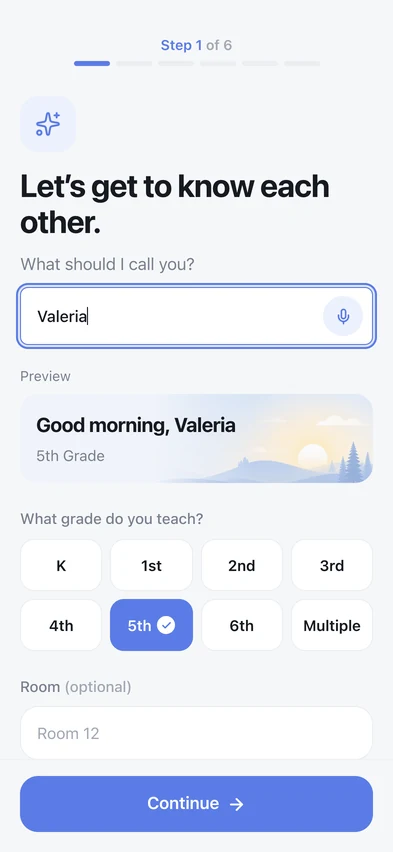
Built around your classroom
Your grade, your bell times, the things you do every morning. Two minutes at the start and it knows your day — then it never asks again.
2
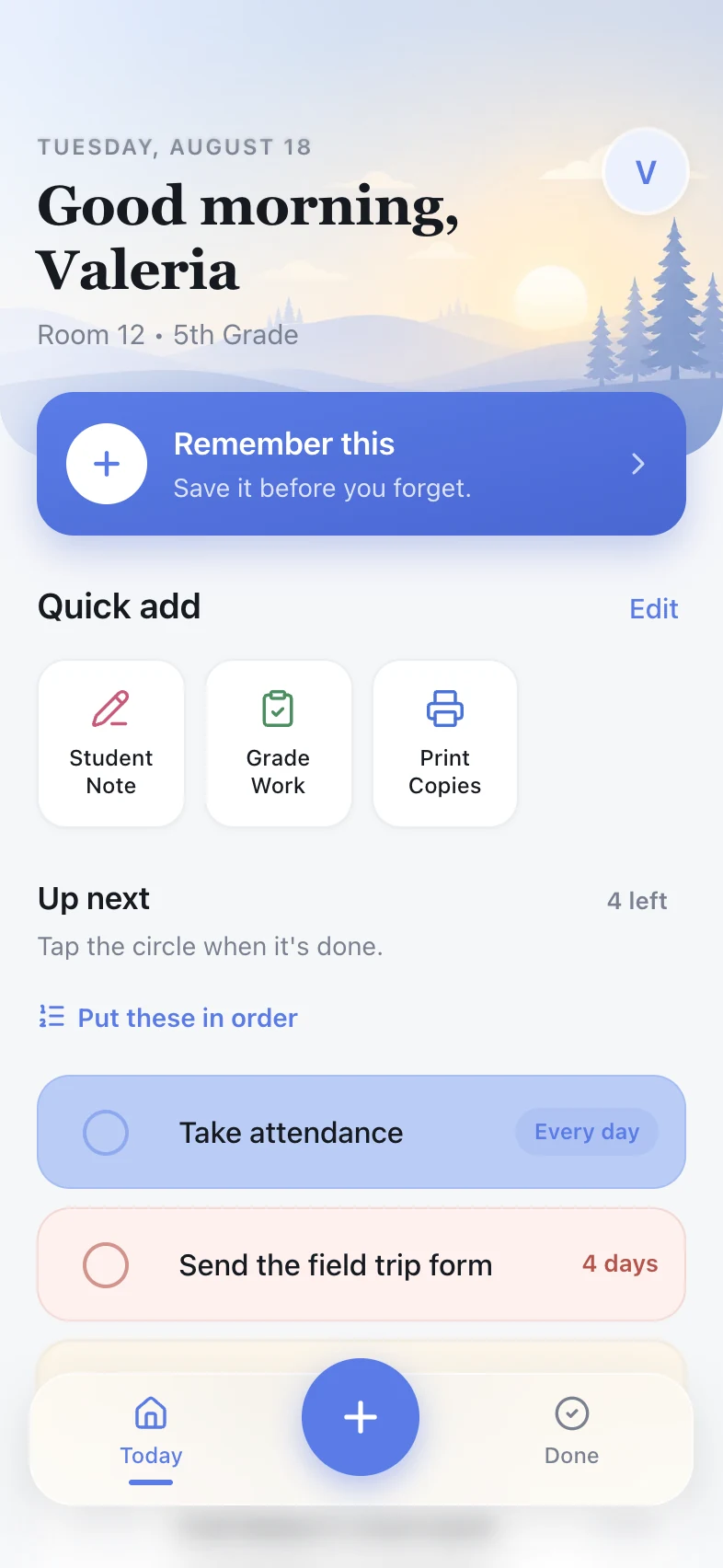
Reminders that stand out
Older reminders become easier to notice, so the things you’ve been meaning to do don’t get lost in your list.
3
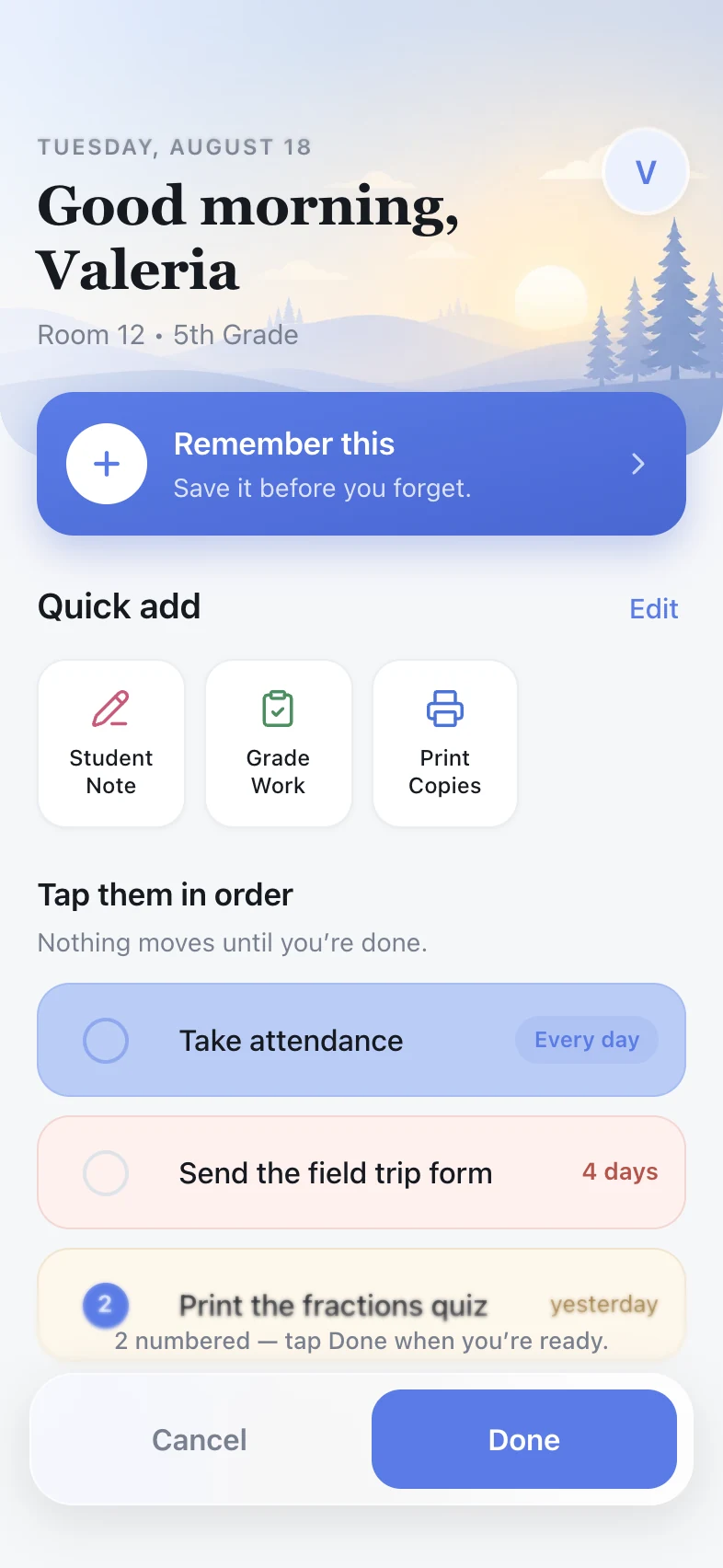
Put reminders in order
Tap them one, two, three — nothing moves until you’re done. Your own colors mark what you put first, so the next thing to do is the one that catches your eye.
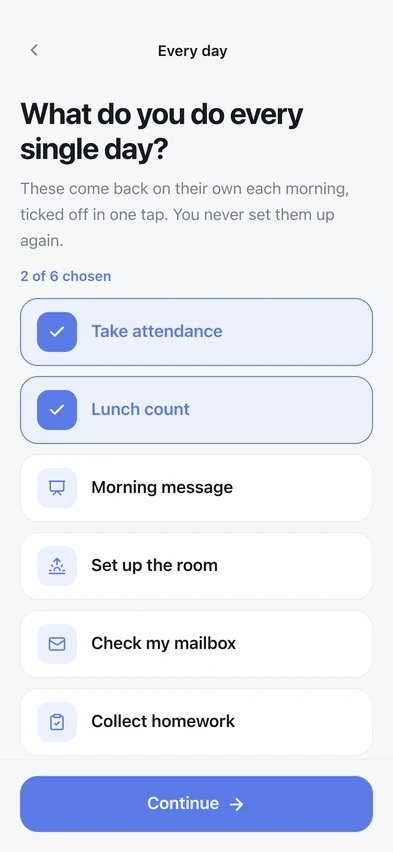
4
Set recurring reminders
Have something you do every school day? Set the reminder once and Teacher Reminder will have it ready for you each day.
Simple by design
Reminders without the hassle.
Reminders when you want them.
Turn on notifications when you want Teacher Reminder to bring something back to your attention.
No account required.
Start using Teacher Reminder right away. No account, email, or sign-in needed.
Made to stay out of your way.
Add a reminder, get back to teaching, and Teacher Reminder takes care of the rest.
Questions teachers ask
- What is Teacher Reminder?
- A reminder app made for K–5 teachers. When something comes up mid-lesson, you write it down in a couple of seconds and get straight back to your class. It keeps everything in one list until you have time to deal with it.
- Do I need to create an account?
- No. There is no account, no email and no sign-in. You open Teacher Reminder and start using it.
- Will it interrupt me while I am teaching?
- No. Nothing buzzes, rings or pops up while you are with your class. Reminders wait quietly on your list and become easier to notice the longer they sit there — a reminder written today looks plain, and one still waiting three days later is red.
- Can I use it on my phone?
- Teacher Reminder is made for the phone in your pocket — its own icon, full screen, and notifications that reach you at the moments you picked. The app is on its way. In the meantime there is a preview on this site you can try, to see how it works before it arrives.
- Where is my list saved?
- On your phone, and nowhere else. Nothing is uploaded to a server and nobody else can see it — which also means your list does not follow you from one phone to another. So there is a Save a Copy in the menu: it hands you a single file holding your list and everything you have ticked off. Keep it in Google Drive, in iCloud, or email it to yourself, and open it on the new phone to bring it all back.
- What happens to something I do not finish today?
- It is still there tomorrow, and the day after, until you tick it off. Nothing expires and nothing clears itself overnight.
Built for one teacher first.
Teacher Reminder started with one fifth-grade teacher and one simple idea: make it easier to move between all the little things a school day brings.
Try the demoA two-minute preview. No account or email required.